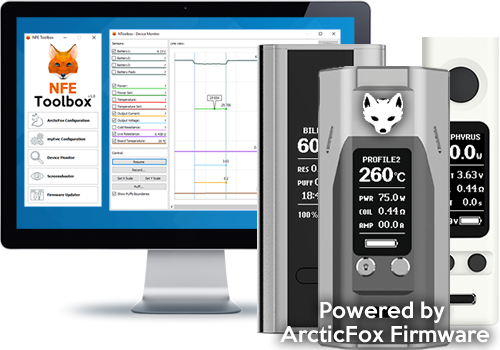
Arctic Fox Installation Instructions for the Eleaf Pico 75w


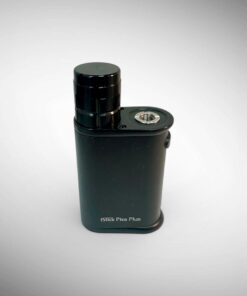
Arctic Fox for Eleaf Pico 75w
Free firmware installation guide for Arctic Fox on the Eleaf Pico 75w. Unlock temperature control, autofire, and custom TCR profiles for Divine Tribe atomizers.
🦊 Arctic Fox for the Eleaf iStick Pico
Installation Instructions & Firmware — free upgrade guide from Divine Tribe
⚠️ Before You Start — Compatibility
This guide is for the Eleaf iStick Pico with micro USB, which supports Arctic Fox firmware upgrades. The Type-C Pico I sell has built-in autofire but is not compatible with Arctic Fox. Make sure you use a micro USB data cable — not all cables transmit data.
🌟 Why Arctic Fox?
Arctic Fox transforms your Pico with:
- Up to 8 customizable profiles — save settings for different atomizers
- Autofire up to 60 seconds — no holding the button
- Precise temperature control and preheat settings
Divine Tribe provides this open-source firmware guide to keep your solid-performing mod thriving! 🦊
🛠️ Installation Steps
Download NFE Tools 📥
Download the NFE Tools ZIP file below. If the download fails, try another browser. Create an Arctic Fox folder, unzip the files into it, and open the nToolbox app.

Connect Your Pico 🔌
Connect your Pico to your computer using a micro USB data cable (not all cables transmit data). In nToolbox, click Firmware Updater.

Download the Firmware 📦
Download the Pico Arctic Fox firmware BIN file and save it to your Arctic Fox folder.
Optional: Stock Autofire Firmware ⚙️
Skip this step if you’re installing Arctic Fox. If you’d rather keep stock firmware but add autofire, download the Pico Autofire firmware instead. With it: hold fire and “+” to set the seconds, double-click to activate, and press once to stop early.
Update the Firmware 🔄
In nToolbox, click Update From a File, select the Arctic Fox (or Autofire) BIN file, and upload it to your Pico. ✅


Load the Configuration 🛠️
Use our pre-set configuration with 3 profiles for the Quest, v4, and v5 Prototype — or customize your own with these instructions.
In nToolbox, click ArcticFox Configuration, select the file, and click Upload Settings. Cycle between profiles by pressing the fire button 3 times. 🔄


Enjoy Autofire 🔥
Arctic Fox’s autofire lets you heat for up to 60 seconds with a double-click — no need to hold the button every 10 seconds like stock firmware. Perfect for Divine Tribe atomizers! 🌿
🌐 Join Divine Tribe
Watch tutorials on YouTube, join our Reddit community, or chat on Discord.
Email matt@ineedhemp.com for support.
Only logged in customers who have purchased this product may leave a review.
Related products



Accessories
Accessories
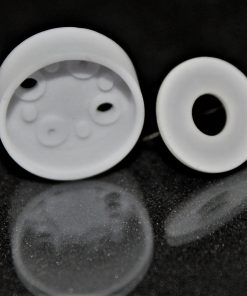
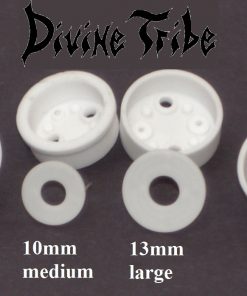
4pk Replacement 10mm Medium & 13mm Large Donut and Cup Set for the V4, V3/5, & SAI Heaters


Accessories

Accessories
14mm and 18mm HydraTube Cool Water Filtration Thick Glass HydraTube -Stands and Attachments
Reviews
There are no reviews yet.